Intel D865GBF Ficha Técnica
Consulte online ou descarregue Ficha Técnica para Placas-mãe Intel D865GBF. Intel D865GBF motherboard Manual do Utilizador
- Página / 98
- Índice
- MARCADORES

- Order Number: C24485-002 1
- Revision History 2
- Preface 3
- Terminology 4
- Box Contents 4
- Contents 5
- 5 Technical Reference 7
- B Regulatory Compliance 7
- Figures 7
- 1 Desktop Board Features 11
- Related Links: 12
- Manufacturing Options 13
- Supported Operating Systems 13
- Desktop Board Components 14
- Processor 16
- Main Memory 17
- Graphics Subsystem 18
- Audio Subsystem 18
- 865G Chipset 18
- LAN Subsystem (Optional) 19
- Hi-Speed USB 2.0 Support 20
- Enhanced IDE Interface 21
- Chassis Intrusion 22
- Power Management Features 22
- Fan Connectors 23
- Fan Speed Control (Intel 23
- CAUTION 23
- Resume on Ring 24
- Wake from USB 24
- Speaker 25
- Battery 25
- Real-Time Clock 25
- 26 26
- Board Components 27
- Installation Precautions 28
- Installation Instructions 28
- Place Battery Marking 29
- Installing the I/O Shield 30
- WARNING 31
- Installing a Processor 32
- Removing the Processor 33
- 256 MB, 128 Mb, DDR400 35
- 512 MB, 256 Mb, DDR400 35
- Removing DIMMs 36
- Installing an AGP Card 37
- Removing the AGP Card 37
- Connecting the IDE Cable 38
- Connecting Internal Headers 40
- Multi-Channel Analog Audio 42
- Multi-Channel Digital Audio 42
- Connecting USB 2.0 Headers 43
- 44 44
- Connecting Fans 45
- Connecting Power Cables 45
- CAUTION 45
- Clearing Passwords 47
- Replacing the Battery 48
- 50 50
- 52 52
- 3 Updating the BIOS 53
- Utility 54
- Recovering the BIOS 55
- 56 56
- Maintenance Menu 58
- Main Menu 59
- Advanced Menu 60
- PCI Configuration Submenu 61
- Boot Configuration Submenu 62
- PATA and SATA Submenus 66
- Video Configuration Submenu 70
- USB Configuration Submenu 71
- Fan Control Submenu 74
- Hardware Monitoring Submenu 75
- Security Menu 76
- Power Menu 77
- ACPI Submenu 78
- Boot Menu 79
- Options Description 80
- Hard Disk Drives Submenu 81
- Removable Devices Submenu 82
- ATAPI CD-ROM Drives 83
- Exit Menu 84
- 5 Technical Reference 85
- Back Panel Connectors 86
- Audio Connectors 87
- Desktop Board Resources 89
- Interrupts 90
- BIOS Beep Codes 91
- BIOS Error Messages 92
- 94 94
- 96 96
- Regulatory Compliance 97
- 98 98
Resumo do Conteúdo
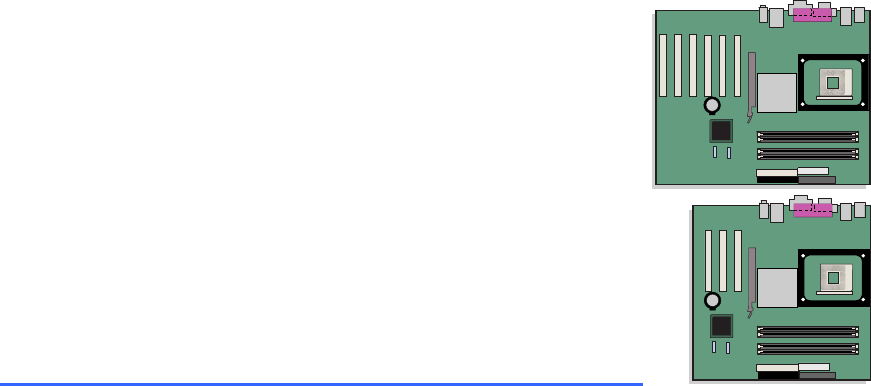
Intel® Desktop Board D865GBF/D865GLC Product Guide Order Number: C24485-002
Intel Desktop Boards D865GBF/D865GLC Product Guide x
11 1 Desktop Board Features This chapter summarizes the main features of Intel® Desktop Board D865GBF/D865GLC. Table 1 shows the differences betwee
Intel Desktop Boards D865GBF/D865GLC Product Guide 12 Table 2. Feature Summary (continued) Peripheral Interfaces • Up to eight USB 2.0 ports
Desktop Board Features 13 Manufacturing Options Table 3 below describes the manufacturing options for Desktop Board D865GBF/D865GLC. Table 3. Manuf
Intel Desktop Boards D865GBF/D865GLC Product Guide 14 Desktop Board Components Figure 1 shows the approximate location of the major components o
Desktop Board Features 15 Table 4. Desktop Board Components Label Description A CD-ROM connector (ATAPI-style) B Front panel audio header C Aux
Intel Desktop Boards D865GBF/D865GLC Product Guide 16 Processor CAUTION Failure to use an ATX12V power supply, or not connecting the 12 V proce
Desktop Board Features 17 Main Memory NOTE To be fully compliant with all applicable Intel® SDRAM memory specifications, the board should be popul
Intel Desktop Boards D865GBF/D865GLC Product Guide 18 Intel® 865G Chipset The Intel 865G chipset consists of the following devices: • Intel 828
Desktop Board Features 19 Related Links: Go to the following link or sections in this manual for more information about: • audio drivers and utilit
Revision History Revision Revision History Date -001 First release of the Intel® Desktop Board D865GBF/D865GLC Product Guide. March 2003 -002 Second
Intel Desktop Boards D865GBF/D865GLC Product Guide 20 RJ-45 LAN Connector LEDs Two LEDs are built into the RJ-45 LAN connector. Table 6 describ
Desktop Board Features 21 Enhanced IDE Interface The ICH5’s IDE interface handles the exchange of information between the processor and peripheral d
Intel Desktop Boards D865GBF/D865GLC Product Guide 22 Security Passwords The BIOS includes security features that restrict whether the BIOS Setu
Desktop Board Features 23 Fan Connectors The desktop board has two chassis fan connectors (Intel Precision Cooling Technology) and one processor fan
Intel Desktop Boards D865GBF/D865GLC Product Guide 24 OM15225CR7J1 Figure 2. Location of Standby Power Indicator CAUTION Power supplies used w
Desktop Board Features 25 Wake from PS/2 Keyboard/Mouse PS/2 keyboard/mouse activity wakes the computer from an ACPI S1 or S3 state. PME# Wakeup Sup
Intel Desktop Boards D865GBF/D865GLC Product Guide 26
27 2 Installing and Replacing Desktop Board Components This chapter tells you how to: • Install the I/O shield • Install and remove the desktop bo
Intel Desktop Boards D865GBF/D865GLC Product Guide 28 Installation Precautions When you install and test the Intel desktop board, observe all wa
Installing and Replacing Desktop Board Components 29 Chassis and Component Certifications Ensure that the chassis and certain components; such as th
iii Preface This Product Guide gives information about board layout, component installation, BIOS Setup menus, and regulatory requirements for Intel®
Intel Desktop Boards D865GBF/D865GLC Product Guide 30 Installing the I/O Shield The desktop board comes with an I/O shield. When installed in t
Installing and Replacing Desktop Board Components 31 Installing and Removing the Desktop Board WARNING Only qualified technical personnel should do
Intel Desktop Boards D865GBF/D865GLC Product Guide 32 Installing and Removing a Processor Instructions on how to install the processor to the de
Installing and Replacing Desktop Board Components 33 Connecting the Processor Fan Heat Sink Cable Connect the processor fan heat sink cable to the p
Intel Desktop Boards D865GBF/D865GLC Product Guide 34 Installing and Removing Memory CAUTION To be fully compliant with all applicable Intel SD
Installing and Replacing Desktop Board Components 35 Installing DIMMs Before installing DIMMs, read and follow these guidelines for dual channel con
Intel Desktop Boards D865GBF/D865GLC Product Guide 36 CAUTION Install memory in the DIMM sockets prior to installing an AGP video card to avoid
Installing and Replacing Desktop Board Components 37 Installing and Removing an AGP Card CAUTION When installing any AGP card in the desktop board
Intel Desktop Boards D865GBF/D865GLC Product Guide 38 Connecting the IDE Cable The two IDE cables support the Ultra DMA-33 and ATA-66/100 transf
Installing and Replacing Desktop Board Components 39 Connecting the Serial ATA Cable The SATA cable (4-conductor) supports the Serial ATA protocol a
Intel Desktop Boards D865GBF/D865GLC Product Guide iv Terminology The table below gives descriptions to some common terms used in the product gu
Intel Desktop Boards D865GBF/D865GLC Product Guide 40 Connecting Internal Headers Figure 13 shows the location of internal headers. OM15240A213
Installing and Replacing Desktop Board Components 41 Installing a Front Panel Audio Solution Figure 13-A shows the location of the front panel audio
Intel Desktop Boards D865GBF/D865GLC Product Guide 42 Setting up the Flexible 6-Channel Audio with Jack Sensing After installing the SoundMAX 4
Installing and Replacing Desktop Board Components 43 Connecting USB 2.0 Headers Before connecting USB 2.0 headers, observe the precautions in “Befor
Intel Desktop Boards D865GBF/D865GLC Product Guide 44 Connecting Hardware Control and Power Cables Figure 15 shows the location of the chassis i
Installing and Replacing Desktop Board Components 45 Connecting the Chassis Intrusion Cable Connect the chassis intrusion cable to the header shown
Intel Desktop Boards D865GBF/D865GLC Product Guide 46 Setting the BIOS Configuration Jumper Block CAUTION Always turn off the power and unplug
Installing and Replacing Desktop Board Components 47 Clearing Passwords This procedure assumes that the board is installed in the computer and the c
Intel Desktop Boards D865GBF/D865GLC Product Guide 48 Replacing the Battery A coin-cell battery (CR2032) powers the real-time clock and CMOS mem
Installing and Replacing Desktop Board Components 49 $99(57,0(172Esiste il pericolo di un esplosione se la pila non viene sostituita in modo corr
v Contents 1 Desktop Board Features Manufacturing Options ...
Intel Desktop Boards D865GBF/D865GLC Product Guide 50 $:$6Risiko letupan wujud jika bateri digantikan dengan jenis yang tidak betul. Bateri
Installing and Replacing Desktop Board Components 51 To replace the battery, follow these steps: 1. Observe the precautions in “Before You Begin” (
Intel Desktop Boards D865GBF/D865GLC Product Guide 52
53 3 Updating the BIOS This chapter tells you how to update the BIOS by either using the Intel® Express BIOS Update utility or the Iflash Memory Upd
Intel Desktop Boards D865GBF/D865GLC Product Guide 54 Updating the BIOS with the Iflash Memory Update Utility With the Iflash Memory Update uti
Updating the BIOS 55 Recovering the BIOS It is unlikely that anything will interrupt the BIOS update; however, if an interruption occurs, the BIOS c
Intel Desktop Boards D865GBF/D865GLC Product Guide 56
57 4 Using the BIOS Setup Program The BIOS Setup program can be used to view and change the BIOS settings for the computer. The BIOS Setup program
Intel Desktop Boards D865GBF/D865GLC Product Guide 58 Table 13 shows the function keys available for menu screens. Table 13. BIOS Setup Program
Using the BIOS Setup Program 59 Main Menu Main Advanced Security Power Boot Exit BIOS Version xxxxx10A.86A.xxxx.xxx Proce
Intel Desktop Boards D865GBF/D865GLC Product Guide vi Place Battery Marking...
Intel Desktop Boards D865GBF/D865GLC Product Guide 60 Advanced Menu Main Advanced Security Power Boot Exit Setup Warning: Setting
Using the BIOS Setup Program 61 PCI Configuration Submenu Main Advanced Security Power Boot Exit PCI Configuration PC
Intel Desktop Boards D865GBF/D865GLC Product Guide 62 Boot Configuration Submenu Main Advanced Security Power Boot Exit Boot Conf
Using the BIOS Setup Program 63 Peripheral Configuration Submenu Main Advanced Security Power Boot Exit Peripheral Configuration Ser
Intel Desktop Boards D865GBF/D865GLC Product Guide 64 Table 19. Peripheral Configuration Submenu (continued) Feature Options Description Mode
Using the BIOS Setup Program 65 ATA/IDE Configuration Submenu Main Advanced Security Power Boot Exit IDE Configuration ATA/IDE Config
Intel Desktop Boards D865GBF/D865GLC Product Guide 66 PATA and SATA Submenus Main Advanced Security Power Boot Exit ` [SATA P
Using the BIOS Setup Program 67 Table 21. SATA and PATA Submenus (continued) Feature Options Description DMA Mode • Auto (default) • SWDMA 0 •
Intel Desktop Boards D865GBF/D865GLC Product Guide 68 Diskette Configuration Submenu Main Advanced Security Power Boot Exit Diskette
Using the BIOS Setup Program 69 Event Log Configuration Submenu Main Advanced Security Power Boot Exit Event Log Configuration Eve
Contents vii Video Configuration Submenu...70 USB Configuration Sub
Intel Desktop Boards D865GBF/D865GLC Product Guide 70 Video Configuration Submenu Main Advanced Security Power Boot Exit Vide
Using the BIOS Setup Program 71 USB Configuration Submenu Main Advanced Security Power Boot Exit USB Configuration
Intel Desktop Boards D865GBF/D865GLC Product Guide 72 Chipset Configuration Submenu Main Advanced Security Power Boot Exit Chip
Using the BIOS Setup Program 73 Table 25. Chipset Configuration Submenu (continued) Feature Options Description Extended Configuration • Default
Intel Desktop Boards D865GBF/D865GLC Product Guide 74 Fan Control Submenu Main Advanced Security Power Boot Exit Fan Control Co
Using the BIOS Setup Program 75 Hardware Monitoring Submenu Main Advanced Security Power Boot Exit Hardware Monitoring
Intel Desktop Boards D865GBF/D865GLC Product Guide 76 Security Menu Main Advanced Security Power Boot Exit Supervisor Password :
Using the BIOS Setup Program 77 Power Menu Main Advanced Security Power Boot Exit ` ACPI After Power Failure [L
Intel Desktop Boards D865GBF/D865GLC Product Guide 78 ACPI Submenu Main Advanced Security Power Boot Exit Advanced Configuration
Using the BIOS Setup Program 79 Boot Menu Main Advanced Security Power Boot Exit Silent BOOT [Enabled] Intel ® Rapid BIOS Boot [
Intel Desktop Boards D865GBF/D865GLC Product Guide viii 16. Location of the BIOS Configuration Jumper Block...
Intel Desktop Boards D865GBF/D865GLC Product Guide 80 Boot Device Priority Submenu Main Advanced Security Power Boot Exit 1st Bo
Using the BIOS Setup Program 81 Hard Disk Drives Submenu Main Advanced Security Power Boot Exit 1st Drive [xxxxxxxxxxxxx] 2nd Drive
Intel Desktop Boards D865GBF/D865GLC Product Guide 82 Removable Devices Submenu Main Advanced Security Power Boot Exit 1st Drive
Using the BIOS Setup Program 83 ATAPI CD-ROM Drives Main Advanced Security Power Boot Exit 1st Drive [xxxxxxx] 2nd Drive [xxxxxxx]
Intel Desktop Boards D865GBF/D865GLC Product Guide 84 Exit Menu Main Advanced Security Power Boot Exit Exit Saving Changes Exit
85 5 Technical Reference Board Connectors This chapter shows the location of the: • Back panel connectors • Audio connectors • Add-in board and
Intel Desktop Boards D865GBF/D865GLC Product Guide 86 Back Panel Connectors NOTE The line out connector, located on the back panel, is designe
Technical Reference 87 Audio Connectors Figure 13 shows the approximate location of the audio connectors. J9A22134567910BJ8B11234COM15236AJ9C11234 I
Intel Desktop Boards D865GBF/D865GLC Product Guide 88 Add-In Card and Peripheral Interface Connectors Figure 20 shows the PCI bus add-in card an
Technical Reference 89 Desktop Board Resources Memory Map Table 38. System Memory Map Address Range (decimal) Address Range (hex) Size Descripti
Contents ix 41. Beep Codes...91 42.
Intel Desktop Boards D865GBF/D865GLC Product Guide 90 Interrupts Table 40. Interrupts IRQ System Resource NMI I/O channel check 0 Reserved, i
91 A Error Messages and Indicators Desktop Board D865GBF/D865GLC reports POST errors in two ways: • By sounding a beep code • By displaying an err
Intel Desktop Boards D865GBZ/D865GLC Product Guide 92 BIOS Error Messages When a recoverable error occurs during the POST, the BIOS displays an
Error Messages and Indicators 93 Table 42. BIOS Error Messages (continued) Error Message Explanation Memory Size Decreased Memory size has decrea
Intel Desktop Boards D865GBZ/D865GLC Product Guide 94
95 B Regulatory Compliance This appendix contains safety standards, electromagnetic compatibility (EMC) regulations, and product certification marki
Intel Desktop Boards D865GBZ/D865GLC Product Guide 96 Product Certification Markings Desktop Board D865GBF/D865GLC has the following product cer
Regulatory Compliance 97 • Korean Class B statement translated as follows: this is household equipment that is certified to comply with EMC requir
Intel Desktop Boards D865GBZ/D865GLC Product Guide 98
Manuais e produtos relacionados com Placas-mãe Intel D865GBF
 (76 páginas)
(92 páginas)
(94 páginas)
(4 páginas)
(98 páginas)
(88 páginas)
(84 páginas)
(88 páginas)
(4 páginas)
(12 páginas)
(4 páginas)
(87 páginas)
(4 páginas)
(4 páginas)
(4 páginas)
(86 páginas)
(4 páginas)
(86 páginas)
(84 páginas)
(76 páginas)
(92 páginas)
(94 páginas)
(4 páginas)
(98 páginas)
(88 páginas)
(84 páginas)
(88 páginas)
(4 páginas)
(12 páginas)
(4 páginas)
(87 páginas)
(4 páginas)
(4 páginas)
(4 páginas)
(86 páginas)
(4 páginas)
(86 páginas)
(84 páginas)
© 2020, manymanuals-pt.com. Todos os direitos reservados. | 0.034 s |
 Manymanuals.com
 Manymanuals.de
 Manymanuals.fr
 Manymanuals.it
 Manymanuals.pl
 Manymanuals.cz
 Manymanuals.es
 Manymanuals-pt.com
Comentários a estes Manuais